

Become a Razorpay Curlec Partner
Handy Tips
- Review the eligibility requirements for the Razorpay Partnership Program.
- All Partners are onboarded as Service Partners by default.
Sign Up and KYC
Sign up on Partners Page
Sign up on Partners Page
If you are new to Razorpay, you must first sign up for a Razorpay account.Follow these steps:
- Navigate to the Partners webpage and click Become a Partner or Sign Up.
Sign up using email ID
Sign up using email ID
- Enter your email id and click Continue.
- Enter a password and click Create Password.
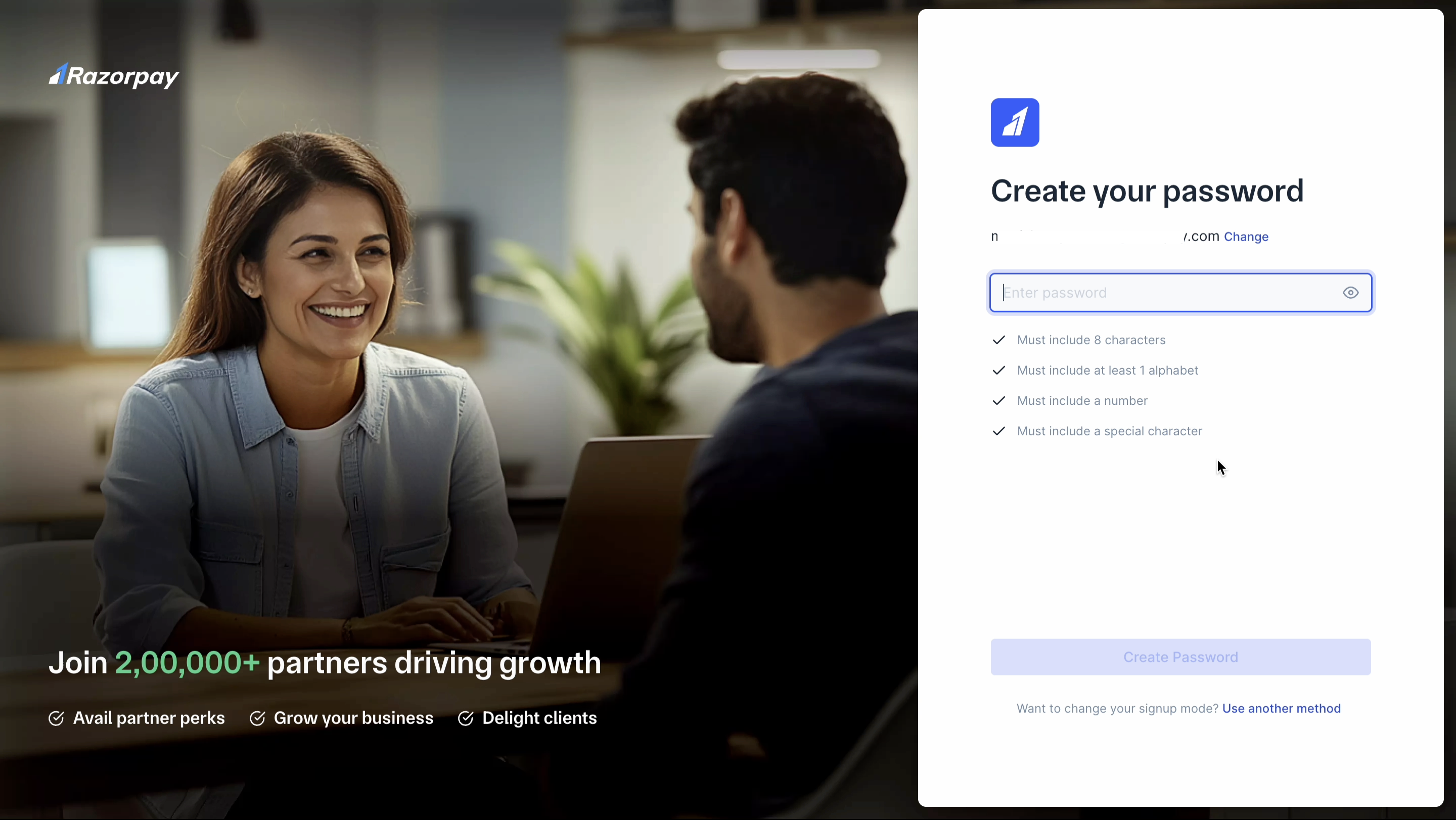
- Enter the OTP sent to your registered email and click Verify.
- Enter your name and optionally, your number. Click Continue.

Sign up using phone number
Sign up using phone number
- Enter your phone number and click Continue.
- Enter the OTP sent to your registered phone number and click Verify.
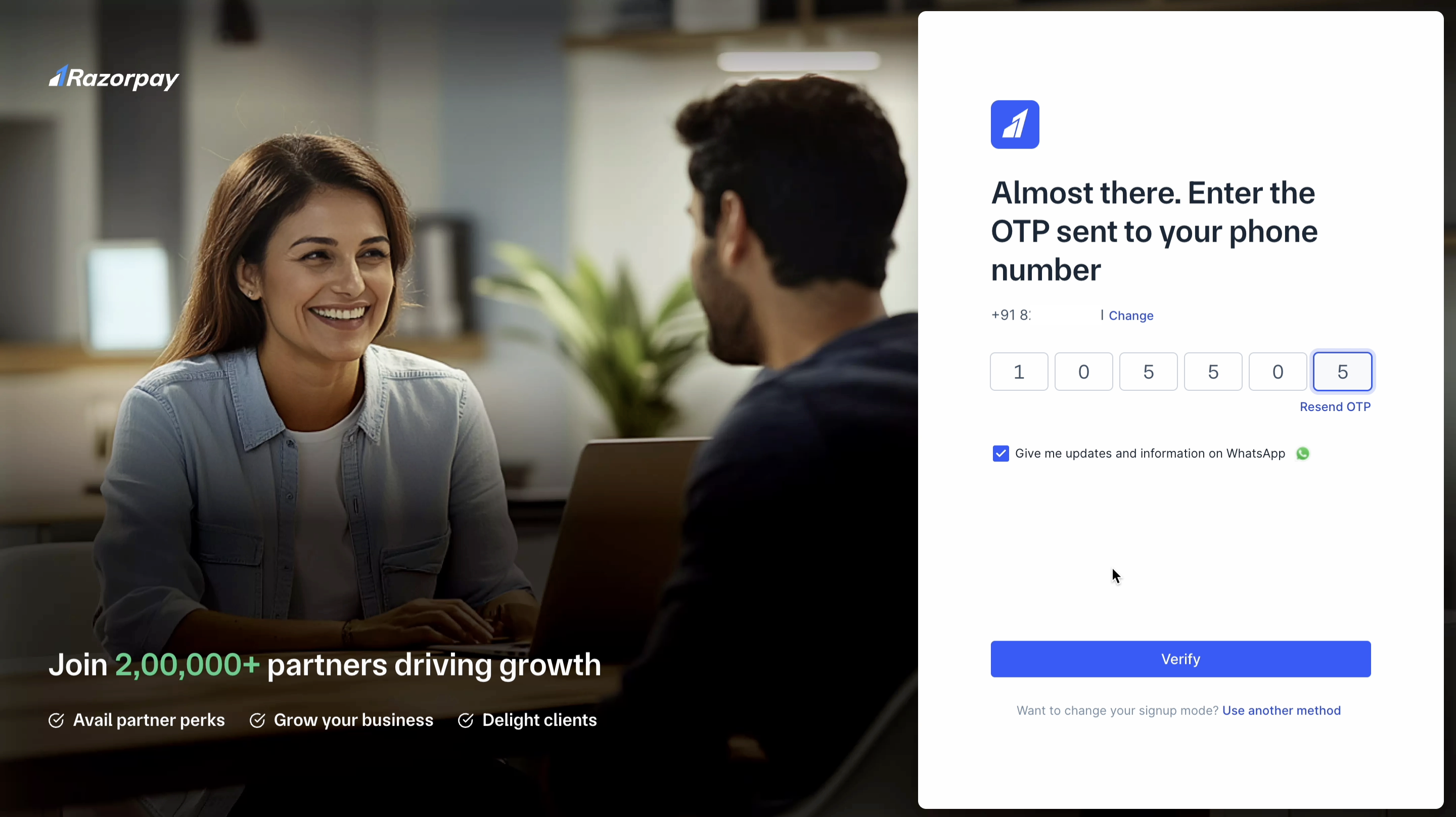
- Enter your name and optionally, your email. Click Continue.
Complete KYC on Dashboard
Complete KYC on Dashboard
As a Razorpay Partner, you are eligible to receive commissions from Razorpay. You must complete the account activation and KYC process to receive the commission. We recommend you perform this step using a desktop computer.To activate your account:
- Log in to the Dashboard and navigate to Partner → Home.
- Click Submit KYC.
-
In the CONTACT DETAILS section, fill in your name, email and number. Click Save & Next.
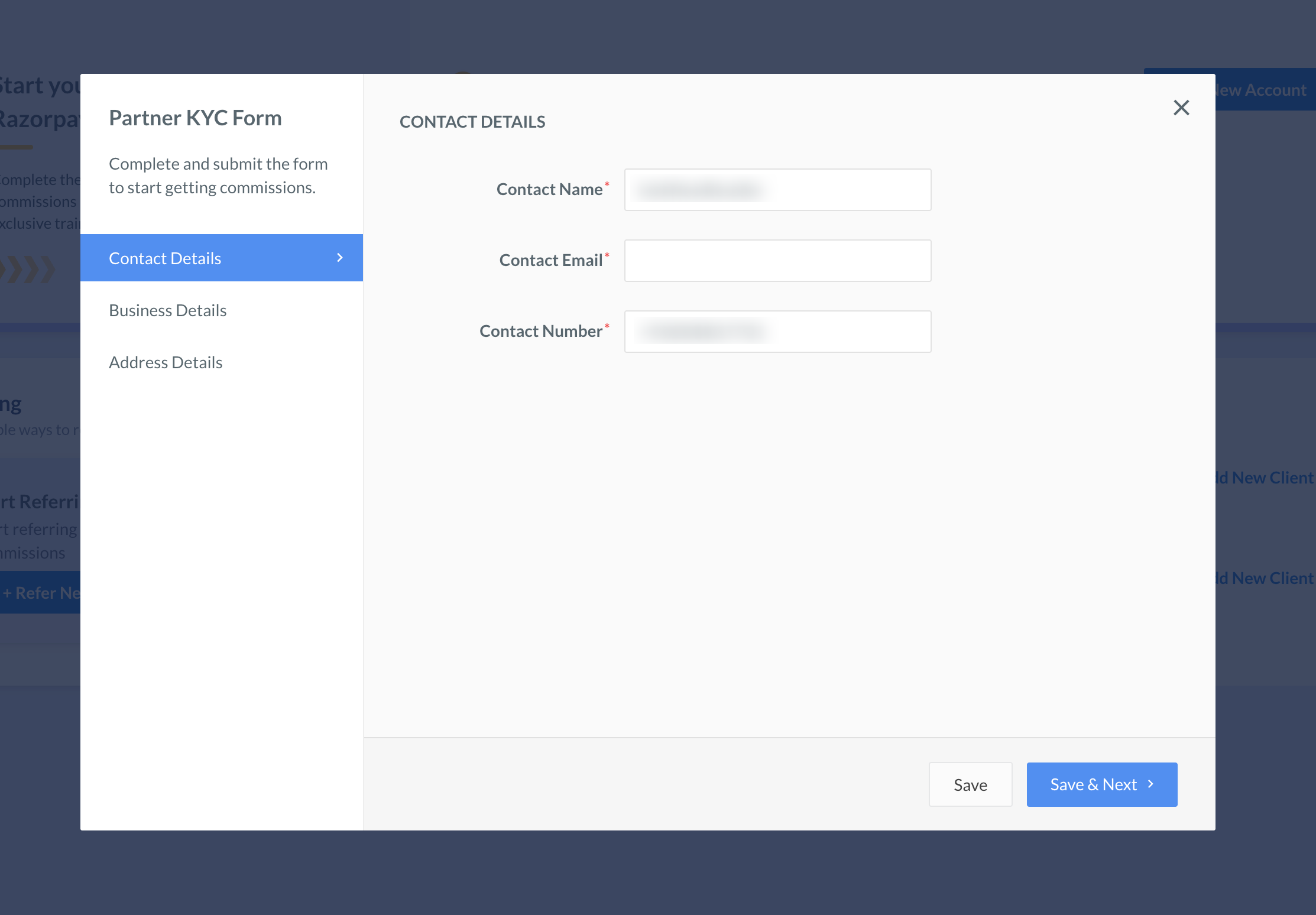
- In the BUSINESS DETAILS section, select your Business Type and fill relevant details. Click Save & Next.
- Fill the ADDRESS DETAILS section. Click Save.
- Read and agree to the Razorpay Terms and Conditions. Click Submit and Verify.
- We will notify you via email, SMS and WhatsApp if we need further information.
- The review process takes 4-5 days.
- Upon successful verification:
- Razorpay displays the Settlements Enabled success message on the Dashboard.
- Razorpay deposits the settlement amount in your bank account per your settlement schedule.