

Handy Tips
- Review the eligibility requirements for the Razorpay Partnership Program.
- All Partners are onboarded as Service Partners by default.
Become a Razorpay Curlec Partner
You can join the program from the Dashboard. To become a partner:- Log in to the Dashboard with your existing credentials.
- Once logged in, navigate to the top-right menu. Click the drop-down menu next to the merchant name.
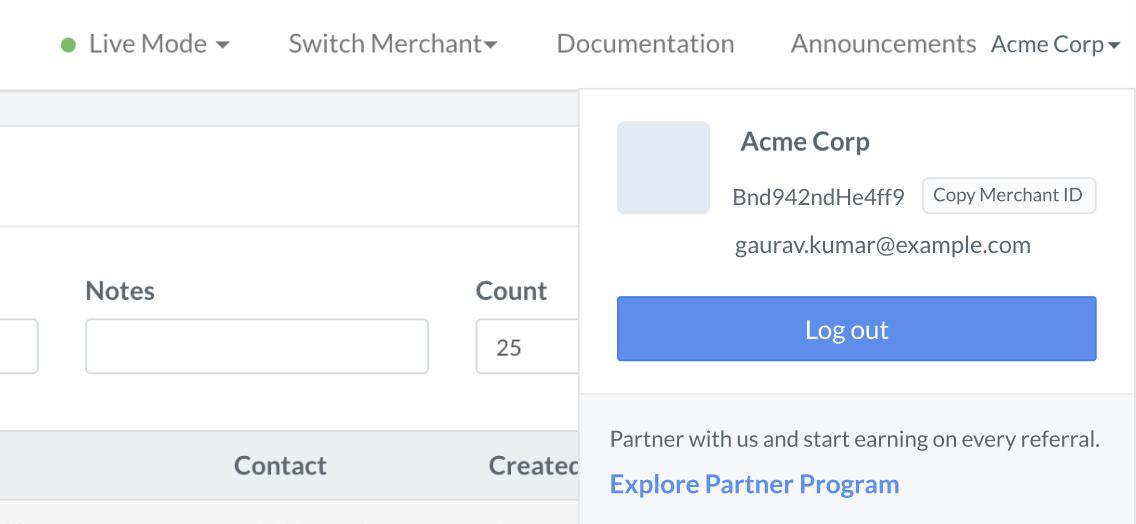
- Click Explore Partner Program.
- On the Welcome to your Partner Dashboard dialog box, click Next.
- On the next page, the details regarding the commissions are displayed. Click Next.
- Select the type of Partner you want to become.
- Refer Merchants: Razorpay Curlec Service Partners Partners Type only refers merchants and/or integrates businesses to Razorpay Curlec, with no involvement in managing transactions on behalf of their clients.
- If you are an enterprise-level partner or looking for customized enterprise solutions, please contact the Razorpay Curlec Support team.
- If you do not want to be a Partner and be a merchant who uses Razorpay Curlec Products to accept or disburse payments, click I just want to use Razorpay Curlec products.
- Click Next.
- In the Terms and Conditions modal, click Accept and Get Started.