

Handy TipsIf you are using a template, the sample description only contains heading levels and content.
Add Headings
Add Headings
You can define up to 2 heading levels. Select Heading for your major level 1 headings and Subheading for level 2 heading and Normal Text for content.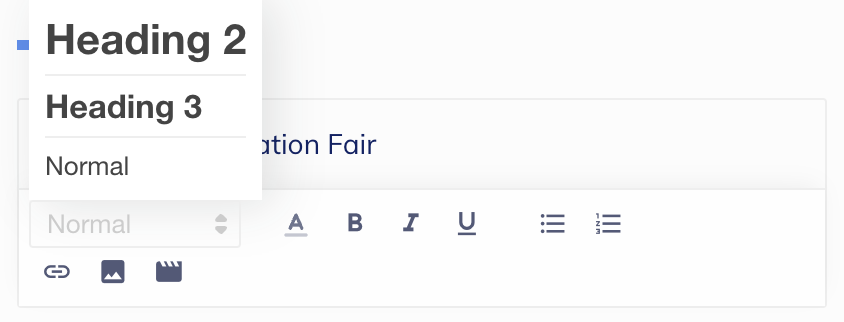
Handy TipsDefining heading levels in your description makes the information look more structured and neat.
Change Font Style and Color
Change Font Style and Color
Choose a font color from 10 available colors. There are three font styles that you can apply to the text: boldface, italics and underline
Create Lists
Create Lists
You can create lists to display the information in a sequence. You can create bulleted lists and numbered lists.
Add an Image
Add an Image
Click the image icon to upload an image from your local system. We support images with dimensions 40x40. Formats supported are JPG, JPEG, PNG and GIF.
Add a Video
Add a Video
Click the video icon and Enter Video URL. This will embed the hosted video into your page.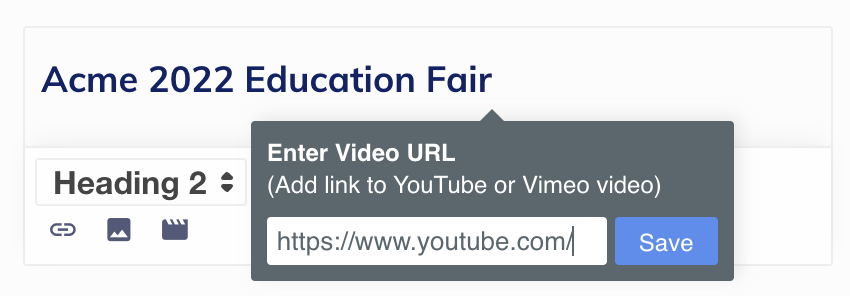
Add a Hyperlink
Add a Hyperlink
URLs entered as plain-text in the Description field are automatically converted to hyperlinks. You can use the Link icon to add YouTube or Vimeo video links to text. You cannot add links to images.
Add Sharing Options
Add Sharing Options
The +Add social media share icons option adds CTA (call-to-action) buttons for Facebook, X and WhatsApp.
Add Contact Information
Add Contact Information
Click Add your contact information to add contact details. You can add phone number and email address.
Add Notes
Add Notes
Click Add Terms & Conditions to add the terms and conditions for a transaction.