

Subscription Life Cycle
The following diagram depicts the Subscriptions life cycle: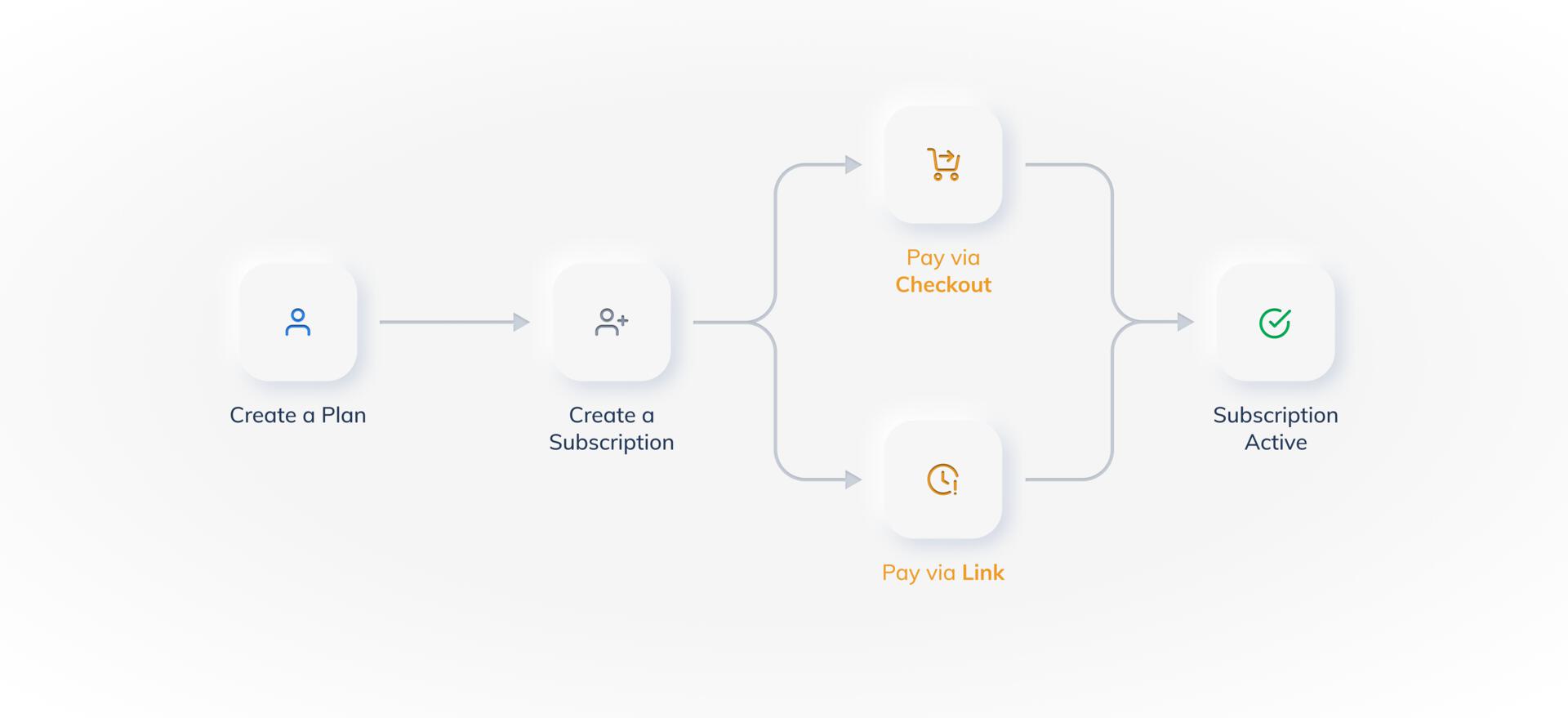
- Create a Plan.
- After the Plan is created, you can then create a Subscription for your customer.
- Customer makes the Authentication Transaction.
- The Subscription becomes active when the billing cycle starts.
Handy Tips
- You do not need to capture any Subscriptions-related payment. All payments related to Subscriptions (except the authorisation payment) are auto-captured. The authorisation payment used to validate a customer’s card is auto-refunded.
- There is no need to create a customer when using Razorpay Subscriptions. Razorpay automatically creates a customer when the authentication payment is made.
Authentication Transaction
The authentication transaction amount is the first amount you charge on the customer’s card. The authentication transaction can either be a token amount that is refunded to the customer or an upfront amount or the plan amount that is not refunded to the customer. Based on your business needs, you can decide on the authentication transaction amount.Immediate Start DatesIn case of immediate start dates, the authentication transaction amount is not refunded and invoices are generated in all the three scenarios.
Authentication Amount - Various Combinations
Authentication Amount - Various Combinations
The following table below explains what authentication amount is collected from customers for various combinations of start date and the upfront amount.
- Subscriptions Using Checkout
- Subscriptions Using Links
Handy TipsYou can integrate Subscriptions into your checkout only using Subscriptions APIs.
- Create a Plan.
- The customer selects the Plan from your website or application.
- After the customer selects a Plan, a Subscription is created in Razorpay and the
subscription_idreceived in the response, is passed on to the Razorpay Checkout via the checkout options. - On the Checkout form, the customer makes the payment using the card details.
- This acts as an authentication transaction. On a successful payment, a customer is created and linked to the Subscription.
- Automated charges on the Subscription are now made as per the schedule that you defined while creating the plan.
Subscriptions Actions
You can perform the following actions on Subscriptions that are active:Invoice
Invoices are automatically created for Subscriptions. Invoice includes details such as plan, amount, date of charge including merchant details. Invoices are created for every charge made on the customer’s card for recurring payments, including the authentication transaction.- An invoice is generated at the beginning of each billing cycle for the defined plan and amount.
- A charge is attempted on the invoice. The invoice is in
issuedstate on your Dashboard. - If the charge is successful:
- An email is sent to the customer.
- The invoice is moved to
paidstate on your Dashboard. - The
invoice.paidwebhook is fired.
Invoice - Various Combinations
Invoice - Various Combinations
The following table indicates when an invoice is sent for various combinations of start date and upfront amount.