

What are Linked Accounts
Linked Accounts are dedicated entities within your Route setup that receive a portion of incoming funds. Each Linked Account:- Receives funds based on your split payment configuration.
- Has a unique
account_idfor API integration and tracking. - Can access a dedicated dashboard for self-service operations.
- Processes refunds using available balance.
Features
- For You (Primary Account)
- For Linked Account Users
- Split Payments: Automatically divide incoming funds between multiple recipients.
- Central Management: Handle settlements, refunds and reconciliations for all Linked Accounts.
- Access Control: Grant or revoke dashboard permissions for each Linked Account.
- Complete Visibility: Track all fund movements, transfers and operations.
Add Linked Accounts
Contact our Support team to create Linked Accounts for your business. Settlement Timing: Linked Account settlements take 2 working days, regardless of your primary settlement schedule.Required Information
Provide these details when creating a Linked Account:- Primary Details
- Bank Details
- Linked Account name
- Contact number
- Email address (required for dashboard access)
Manage Linked Account Access
Dashboard Access
Dashboard Access
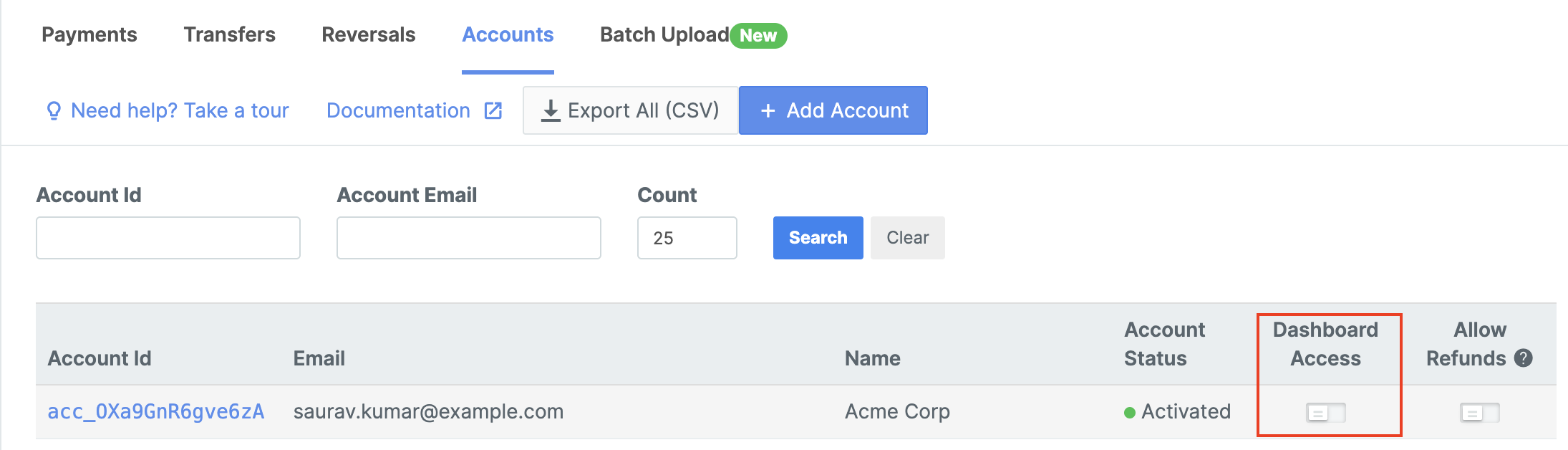
Grant dashboard access to allow Linked Account users to manage their own operations:
- Log in to the Dashboard.
- Select Route and navigate to the Accounts.
- Find the relevant Linked Account and enable Dashboard Access.
Access Requirements
- While you can create a Linked Account without adding their email, you cannot grant them Dashboard access. The access can be granted or provided only after you add the email address of the Linked Account.

- As a Linked Account user, you cannot access the Linked Account Dashboard unless the primary account owner adds you as a team member from their Linked Account Dashboard.
Refund Capabilities
Refund Capabilities
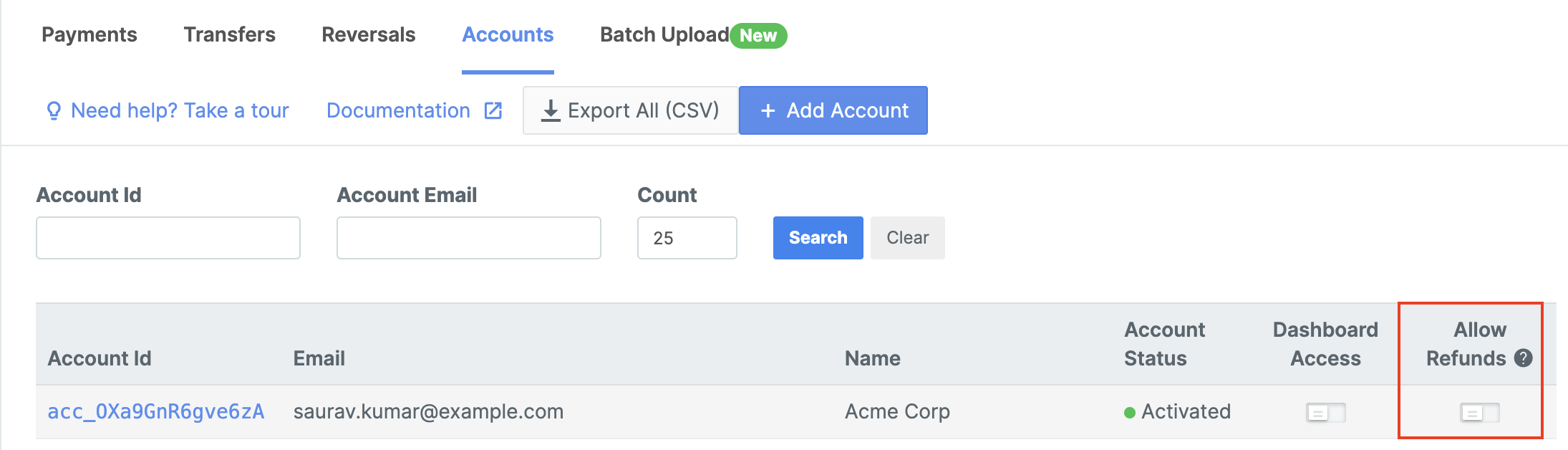
Due to government regulations, in certain cases, the Linked Accounts need to directly process refunds to customers. You can enable refunds capability while adding a new account.To enable refunds capability for an existing account:
- Navigate to the Accounts tab.
- Turn on the Allow Refunds toggle against the relevant account.
Export Account Data
Download complete account information in CSV format:- Click Export All (CSV) from the Accounts tab
- Includes all account details, settlement history, and configuration